> ## Documentation Index
> Fetch the complete documentation index at: https://bruno-a6972042-mintlify-e71a9da4.mintlify.site/llms.txt
> Use this file to discover all available pages before exploring further.
# Run a Collection
Running a Bruno collection lets you exercise and test an API. You can run collections from the app (**Collection Runner**) or from the command line (**Bruno CLI**).
### Collection Runner
The built-in Collection Runner supports **unlimited** runs.
1. **Open the Collection Runner** using either method:
* In the sidebar, click **`···`** next to your collection, then select **Run**.
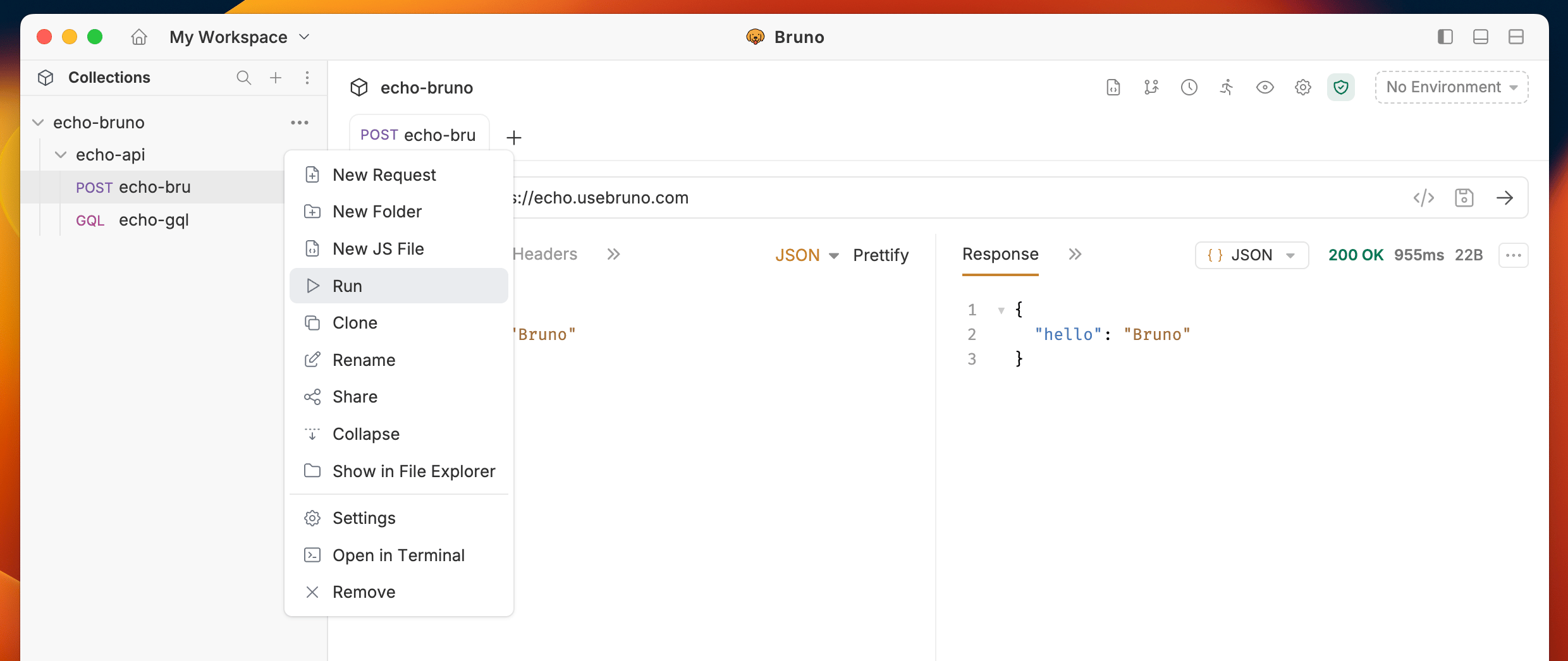 * Or click the **Collection Runner** icon in the top bar.
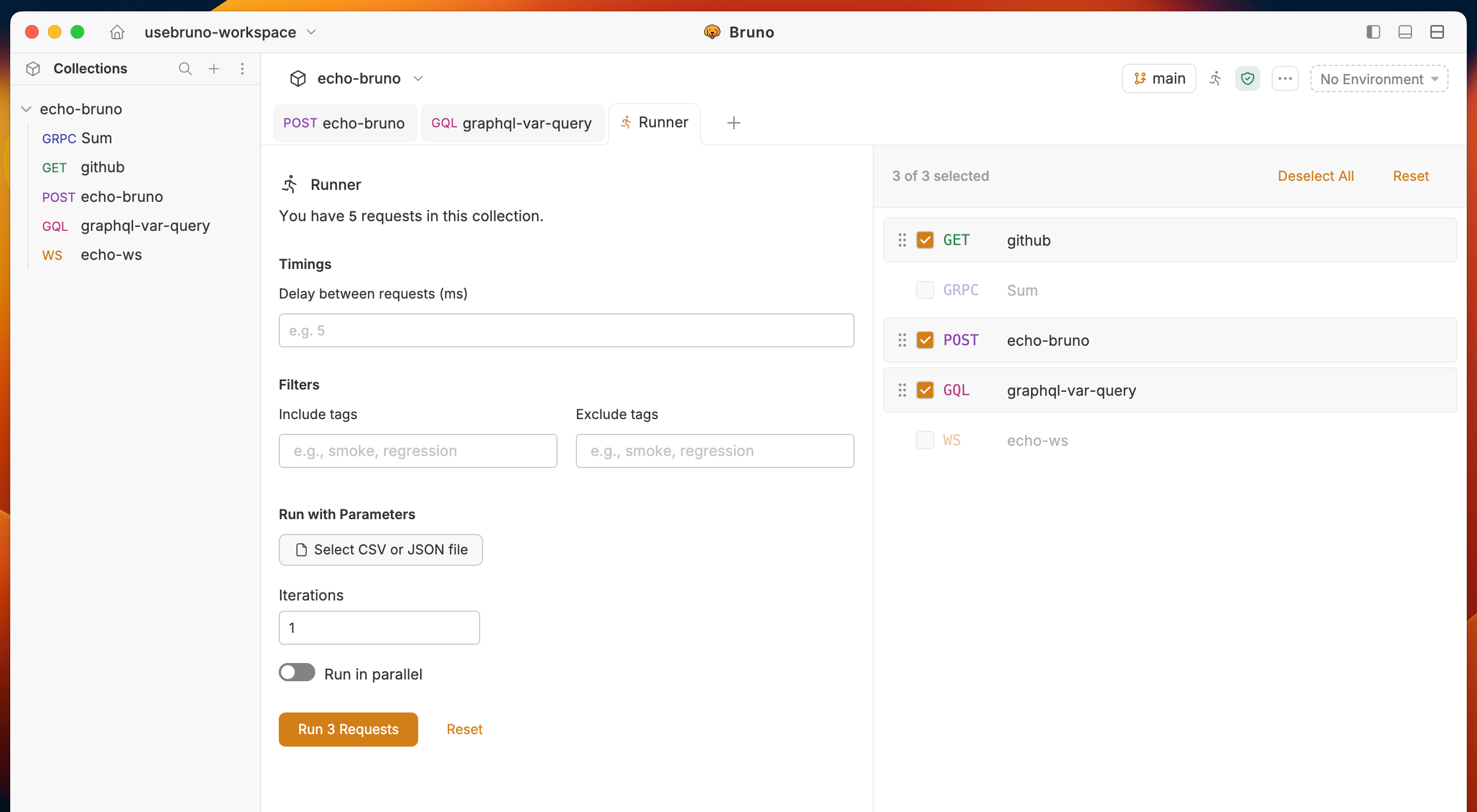
 2. **Configure the run** (optional): In the runner, set **parameters**, choose a **delay** between requests, and adjust any other options you need.
3. **Start the run** to execute the collection from the runner.
The Collection Runner does not include gRPC and WebSocket requests. Only HTTP requests will be executed when running a collection.
**Data-driven testing** (running a collection with a **CSV** data file) is available in [Bruno Pro](https://www.usebruno.com/pricing) and [Bruno Ultimate](https://www.usebruno.com/pricing).
2. **Configure the run** (optional): In the runner, set **parameters**, choose a **delay** between requests, and adjust any other options you need.
3. **Start the run** to execute the collection from the runner.
The Collection Runner does not include gRPC and WebSocket requests. Only HTTP requests will be executed when running a collection.
**Data-driven testing** (running a collection with a **CSV** data file) is available in [Bruno Pro](https://www.usebruno.com/pricing) and [Bruno Ultimate](https://www.usebruno.com/pricing).
 ### Automating Runs in CI/CD
1. **Use the Bruno CLI** to run collections from scripts and pipelines (no GUI required).
2. **Follow the CLI docs** to install the CLI, run a collection, and wire it into your CI/CD jobs: [Bruno CLI ↗](https://docs.usebruno.com/bru-cli/overview)
### Automating Runs in CI/CD
1. **Use the Bruno CLI** to run collections from scripts and pipelines (no GUI required).
2. **Follow the CLI docs** to install the CLI, run a collection, and wire it into your CI/CD jobs: [Bruno CLI ↗](https://docs.usebruno.com/bru-cli/overview)