> ## Documentation Index
> Fetch the complete documentation index at: https://bruno-a6972042-mintlify-e71a9da4.mintlify.site/llms.txt
> Use this file to discover all available pages before exploring further.
# Creating a Collection
A collection in Bruno is a structured group of API requests, tests, and related resources that helps you organize and manage your API testing workflow.
If you have an existing collection inside of another tool that you would like to import, please see [Importing Collections ↗](https://docs.usebruno.com/get-started/import-export-data/import-collections).
## How to Create a Collection
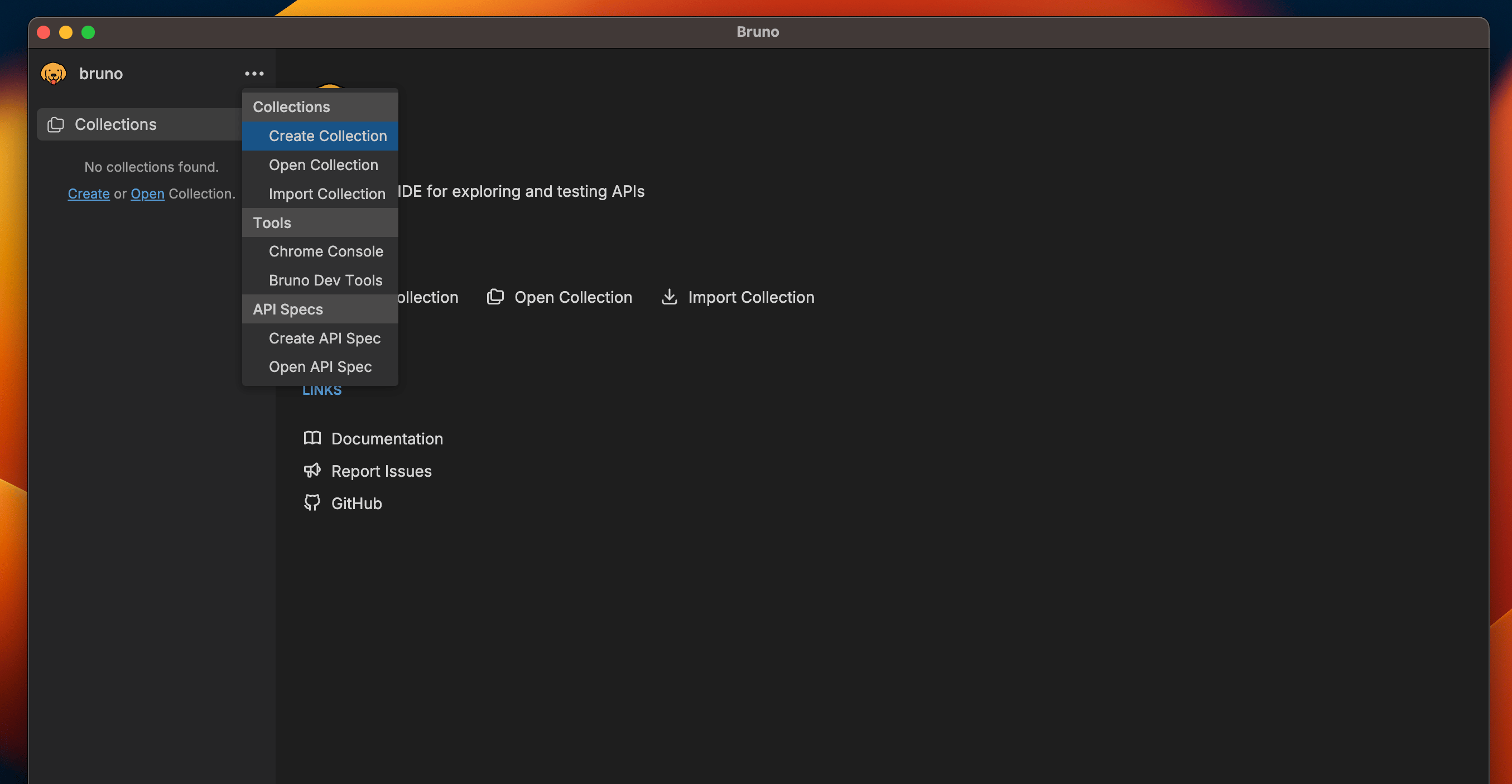
1. Open Bruno and navigate to the **home screen**
2. Click on the `···` button and select `Create Collection` from dropdown.
 3. Enter a name for your collection
4. Choose a location on your filesystem to store the collection
3. Enter a name for your collection
4. Choose a location on your filesystem to store the collection
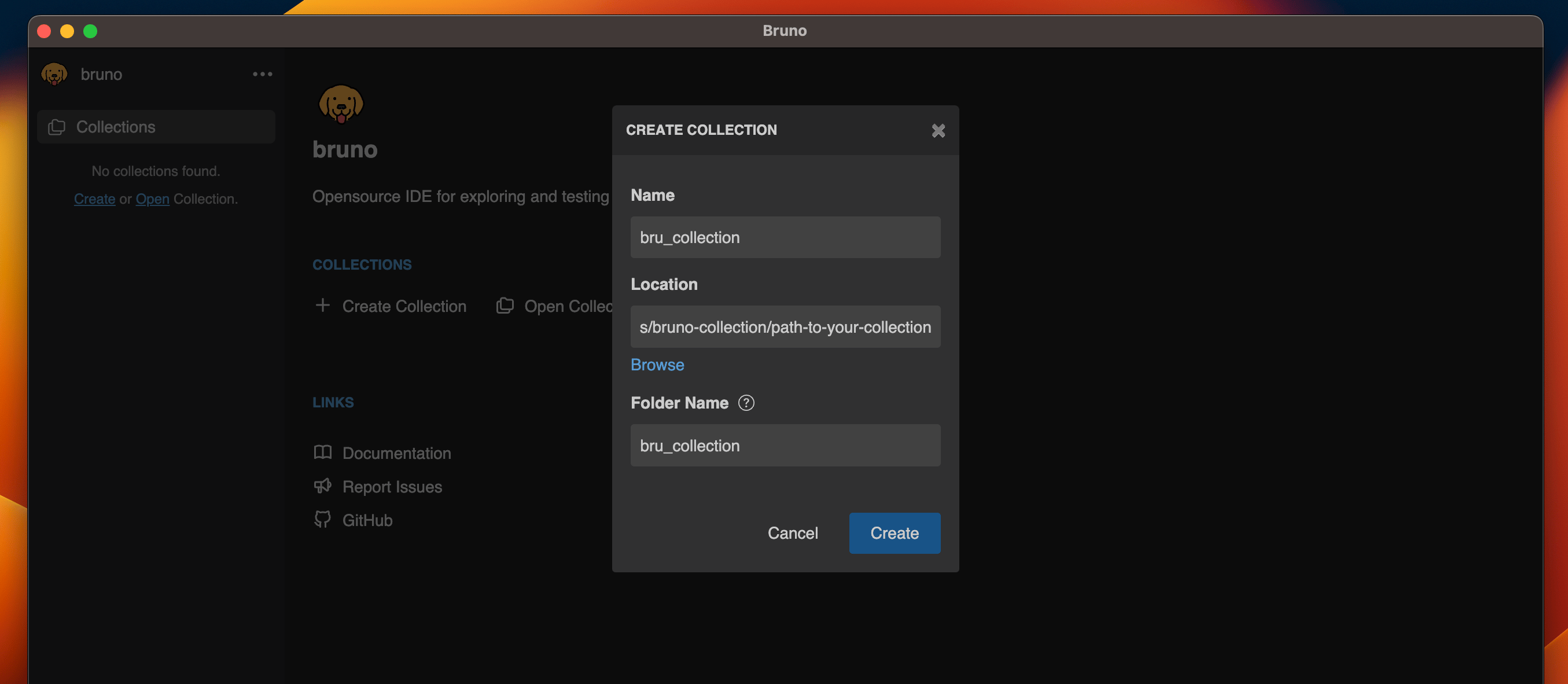 5. Click **Create**
Congratulations! You have successfully created your first collection.
## Custom Collection Names
Starting with [Bruno v1.40.0 ↗](https://www.usebruno.com/downloads), you can
now use special characters in collection names and customize how they appear in
the filesystem.
You can use any characters in your collection names, including special characters like `/`, `[`, `]`, `*`, etc. Bruno automatically handles filesystem compatibility by replacing unsupported characters with `-` in the filenames while preserving your original collection name.
[Add a request ↗](https://docs.usebruno.com/get-started/bruno-basics/create-a-request) to your collection as a next step!
If you're looking to collaborate and share with your team, please see [Collaboration in Bruno ↗](https://docs.usebruno.com/git-integration/overview).
5. Click **Create**
Congratulations! You have successfully created your first collection.
## Custom Collection Names
Starting with [Bruno v1.40.0 ↗](https://www.usebruno.com/downloads), you can
now use special characters in collection names and customize how they appear in
the filesystem.
You can use any characters in your collection names, including special characters like `/`, `[`, `]`, `*`, etc. Bruno automatically handles filesystem compatibility by replacing unsupported characters with `-` in the filenames while preserving your original collection name.
[Add a request ↗](https://docs.usebruno.com/get-started/bruno-basics/create-a-request) to your collection as a next step!
If you're looking to collaborate and share with your team, please see [Collaboration in Bruno ↗](https://docs.usebruno.com/git-integration/overview).